Industry Insights · Training
Capturing Expert Knowledge Before It Retires. What First-Person Recording Asks of Smart Glasses.
By QWR Engineering
Every plant has a few people whose knowledge is not written down anywhere. The maintenance technician who can tell from the sound of a pump that a bearing is going. The line lead who knows the exact order in which to restart a jammed conveyor so nothing else trips. The operator who adjusts a machine by a quarter-turn that appears in no manual. When these people retire or move on, much of what they know leaves with them.
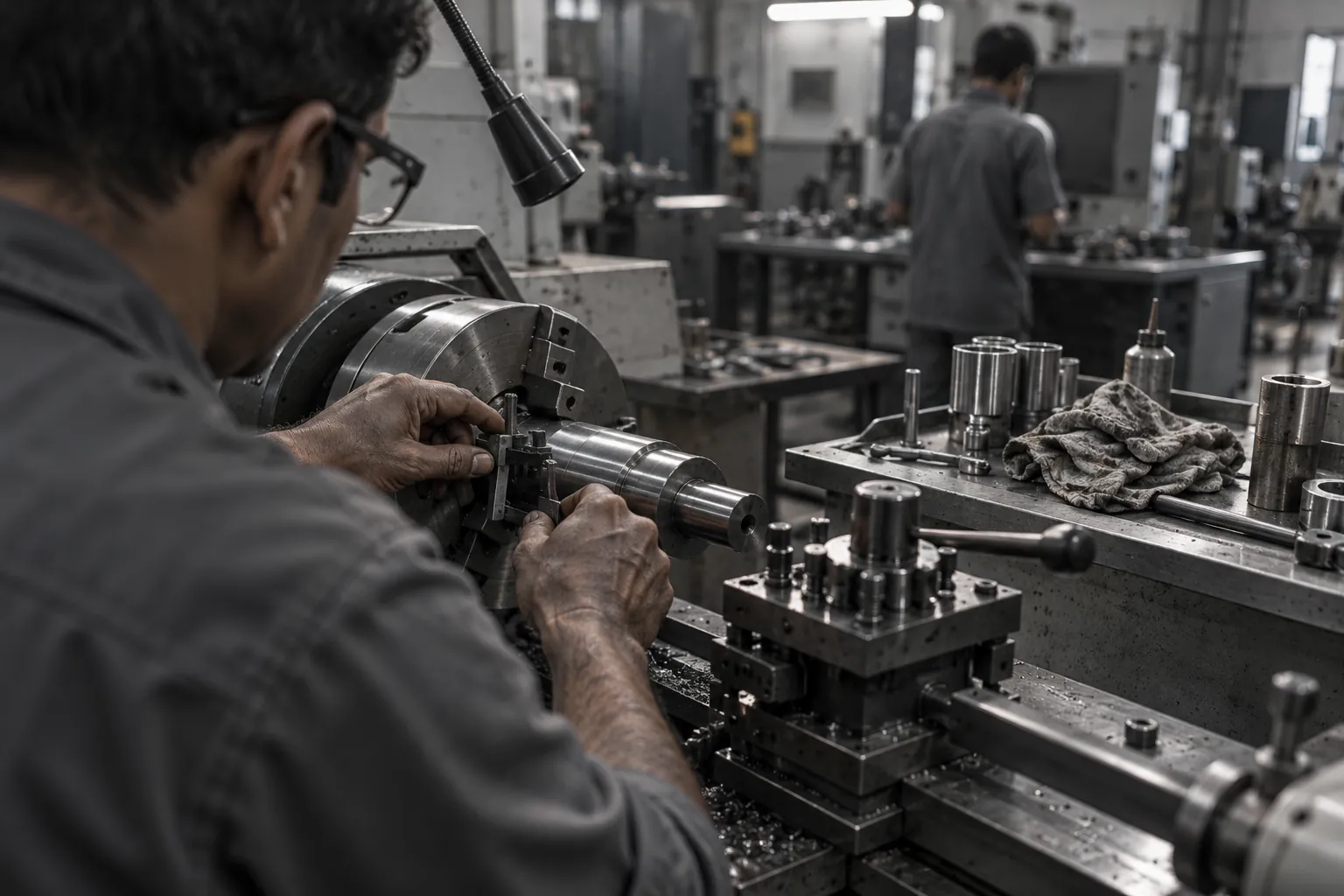
Organisations have tried to capture this knowledge for decades, through interviews, written procedures, classroom sessions and fixed video. Each loses something. Written procedures miss the judgement. Interviews miss the physical detail. Fixed cameras miss the angle that matters, because the expert's hands are usually between the camera and the work.
First-person recording through smart glasses addresses the angle problem directly. The camera sees what the expert sees, from where they see it, with their hands in frame. But continuous first-person recording asks a great deal of a small device worn on the face. This paper sets out what the glasses must support for the recordings to be usable, and the questions a plant should settle before starting.
Why first-person capture differs from a VR simulation
There are two common ways to turn expert knowledge into training. One is to build a virtual reality simulation of the procedure, with the expert advising the developers. The other is to record the expert doing the real procedure and use that recording as the training material, or as the raw input for later content.
These are complementary rather than competing. A simulation lets a trainee practise safely and repeatedly, including scenarios too dangerous or rare to practise for real. A first-person recording preserves exactly how a real expert does a real task on real equipment, including the small adjustments that would never make it into a simulation's design brief.
The recording also has a practical advantage: it can be made now, while the expert is still available, and used later in several ways. It can be watched directly, broken into steps for a guided procedure, or handed to a simulation team as reference. The capture is the urgent part. Everything else can follow.
Typical pattern. A plant identifies a technician eighteen months from retirement who is the only person trusted with a particular calibration. A training team considers commissioning a simulation but cannot finish it before he leaves. Instead, he wears glasses during a series of real calibrations over several weeks. The recordings become the reference for a written procedure, a set of short instructional clips, and later a simulation brief.
What the glasses must support for usable recordings
A recording is only useful if a trainee can see and hear what matters. That sets the hardware requirements.
Camera field of view and placement
The camera needs to see the expert's hands and the work between them. That depends on two things: how wide the camera sees, and where it sits relative to the eyes.
A camera with a narrow field of view may capture the object the expert is looking at but cut off the hands reaching in from the edges. A camera placed at the temple rather than near the centre of the frame sees the work from a slightly offset angle, which matters at close range.
What to ask. What is the camera's field of view? Where is it mounted? Can sample recordings be made of a close-range, two-handed task before purchase, to check that both hands and the work stay in frame?
Resolution and detail
Fine work produces fine detail: a gauge reading, a part number, the position of a small adjustment screw. If the recording cannot resolve these, the knowledge is lost at the moment of capture.
Higher resolution produces larger files and uses more power, so the right setting is a trade-off rather than a maximum.
What to ask. At what resolution and frame rate can the glasses record continuously? Can the setting be changed for a specific task? How does the image hold up in the lighting conditions of the actual workplace, which may be dim inside machinery or harsh near windows?
Stabilisation
Heads move constantly. An expert turning to pick up a tool and turning back produces a recording that can be hard to watch. Image stabilisation reduces this, but aggressive stabilisation can crop the image.
What to ask. Does the device stabilise recordings, and does stabilisation narrow the field of view?
Audio
Expert knowledge is often spoken as much as shown. "Listen to that, that's the sound you want." "Never tighten this past here." Microphones need to pick up the expert's voice clearly while rejecting plant noise, and in some cases also capture the sound of the equipment itself, since sound is part of what the expert is judging.
What to ask. How many microphones does the device have, and how does it handle background noise? Can the expert narrate clearly in the environment where recording will happen? QWR's paper on reading an AI-glasses spec sheet covers what microphone specifications do and do not reveal.
Battery, weight and comfort across a shift
Knowledge capture is not a ten-minute exercise. A single maintenance procedure can take an hour or more, and capturing the variations means recording many of them. The expert must also forget the glasses are there, because self-conscious experts skip the shortcuts that are exactly what the plant is trying to capture.
That sets three requirements that pull against each other. Continuous video recording draws significant power. A larger battery adds weight. More weight on the face becomes uncomfortable over a long session. QWR's paper on the battery, weight and thermal trilemma explains why these cannot all be maximised on a head-worn device.
What to ask. - How long can the glasses record continuously at the resolution you need? - Can they be powered from an external battery pack during long sessions? - How do they feel after an hour of wear? Ask the expert, not the buyer. - Do they work with the expert's prescription lenses or safety glasses?
The last point is easy to miss. Many experienced technicians wear prescription glasses, and many plants require safety eyewear. Glasses that cannot accommodate either will not be worn.
Local storage and offline operation
Plants often have patchy wireless coverage inside machinery spaces, basements and outdoor areas. Recording cannot depend on a live connection.
What to ask. How much video can the glasses store locally? What happens when storage fills: does recording stop, or does the device overwrite older footage? How are recordings moved off the device, and how long does that take? Is local storage encrypted, so that a lost pair of glasses does not become a data incident?
Encryption matters more than it seems. A recording of a complete calibration procedure may contain proprietary process knowledge. QWR's paper on physical loss and recovery questions treats a lost device as a data question first.
Hands-free control
The point of glasses is that the expert's hands stay on the work. Starting, stopping and marking a recording should not require touching the device.
What to ask. Can recording be started, paused and stopped by voice? Can the expert add a spoken marker ("step three") that appears in the recording's timeline? Does voice control work reliably in plant noise?
Markers are worth emphasising. A two-hour recording is much more useful if the expert has flagged each step as it happened. Breaking it down afterwards without markers is slow and depends on someone else's interpretation.
Turning recordings into reusable knowledge
Capture is the first step. Raw footage only becomes training once it is organised.
Segmenting. Breaking long recordings into steps, ideally using the expert's own spoken markers.
Annotating. Adding labels, warnings and context that the expert explained but which may not be obvious on screen.
Reviewing. Having the expert or a peer watch the segments and confirm nothing was missed or done unusually for the camera.
Publishing. Making segments available where trainees will use them: on a tablet at the workstation, in a learning management system, or on the same glasses as a guided procedure.
The hardware question here is whether the glasses can also play back segments to a trainee during the task. If so, the same device becomes both the capture tool and the delivery tool. QWR's paper on when a field task needs a display and when voice is enough is relevant: some captured procedures can be delivered as spoken guidance, while others need the trainee to see the expert's view.
Privacy and consent overlaps
The expert is not the only person in the recording. Colleagues walk past. A supervisor comes over to discuss something. A screen shows a production schedule. Recordings made for knowledge capture can capture far more than intended.
The questions overlap heavily with those for any camera glasses on the shop floor: purpose, notice to people who may appear, areas where recording should not happen, and retention. Two points are specific to knowledge capture.
The expert's own position. Experts should understand what will be done with recordings of their work, who will see them, and whether they could ever be used to assess the expert's performance. Experts who feel watched rather than valued tend to perform the official procedure rather than their real one, which defeats the purpose.
Proprietary process knowledge. The recordings themselves may be sensitive commercial assets. Decide where they are stored, who can access them, and whether they can leave the site.
Typical pattern: a knowledge capture programme
Typical pattern. A plant runs a structured programme across several retiring experts.
- The training team lists the procedures each expert is uniquely trusted with.
- Each expert tries the glasses for a short session and gives feedback on comfort and fit before any formal recording.
- Sample recordings of close-range tasks confirm that hands and work stay in frame and that detail is legible.
- Recording sessions are scheduled around real work, not staged demonstrations, with the expert using voice markers for each step.
- Recordings are moved off the glasses daily to secure storage.
- Segments are reviewed with the expert while they are still available to answer questions.
- The library is published progressively, with the most at-risk knowledge first.
The step most often skipped is the sixth. Recordings reviewed after the expert has left cannot be corrected.
Where to go next
For plant-floor hardware requirements, see the manufacturing industry page. To compare glasses classes, start with the Platform Finder.
FAQ
Frequently asked questions
What camera specifications matter most for capturing procedural knowledge?+
Field of view and placement, so that both hands and the work stay in frame at close range, and enough resolution to read small detail in real lighting conditions. Test with a real two-handed task before buying.
Can smart glasses record for a full shift?+
It depends on the device, resolution and battery design. Ask for continuous recording time at the resolution you need, and whether an external battery can extend it. Comfort over long sessions matters as much as battery life.
How should recording work where wireless coverage is poor?+
Recordings should be stored locally and transferred later. Confirm storage capacity, what happens when storage fills, how footage is moved off the device, and whether local storage is encrypted.
Do other people in the recording need to be considered?+
Yes. Colleagues, supervisors and contractors may appear, and screens or documents may be visible. Settle notice, restricted areas and retention before recording begins.
How does first-person recording differ from building a VR simulation?+
A recording preserves how a real expert performs a real task and can be made quickly while the expert is available. A simulation allows safe, repeated practice and rare scenarios. Many programmes use recordings as the reference for later simulations.
Request a Technical Briefing
Our team provides direct support for procurement officers, institutional buyers, and enterprise technology leads.