Industry Insights · Industry
What Warehousing and Logistics Demand of Smart Glasses. A Requirements Read for Fulfilment Operations.
By QWR Engineering
Warehouses were among the first places where smart glasses made commercial sense. The logic is easy to see. A picker spends the shift walking to a location, finding an item, confirming it and placing it in a tote. Every second spent looking at a handheld scanner, juggling it with the item, or walking back to a terminal is a second not spent picking. Glasses promise to put the next instruction in front of the picker's eyes or in their ear, and to confirm the pick without anything in their hands.
That promise has been demonstrated many times. Whether it holds in a particular operation depends on details that demonstrations tend to skip: how far the picker is from the barcode, how cold the freezer aisle is, how many dead spots the Wi-Fi has, and whether the glasses last the whole shift.
This paper sets out what fulfilment operations ask of smart glasses. It complements two broader QWR papers: Hands-Free Smart Glasses for Industry, which defines what "hands-free" should mean, and When a Field Task Needs a Display, and When Voice Is Enough. This paper applies both to the specific demands of a warehouse.
The fulfilment tasks that drive requirements
Most warehouse glasses deployments serve a handful of core tasks.
Picking. Go to a location, find the item, confirm it, place it. The highest-volume task and the one that justifies most deployments.
Put-away and replenishment. Move goods from receiving into storage, or from reserve storage into pick faces.
Inventory counts. Confirm what is at a location.
Exceptions. Damaged items, short picks, wrong locations: the moments when the picker needs to report something or get help.
Packing and dispatch. Confirm what goes into which package and verify labels.
Each depends on two capabilities: telling the worker what to do next, and confirming what they actually did. The first is a guidance question. The second is mostly a scanning question.
Scanning at real distances, without breaking the pick rhythm
This section is specific to fulfilment and is where most deployments succeed or fail.
How the glasses confirm a pick
There are three common ways for glasses to confirm a pick:
- Camera scanning. The glasses' camera reads the barcode or QR code on the item or location.
- Voice confirmation. The picker reads a check digit aloud and the system verifies it.
- A paired ring or wrist scanner. A small scanner worn on the finger or wrist does the scanning; the glasses handle guidance.
Each has trade-offs, and the right choice depends on the operation.
Scan distance and angle
Camera scanning works when the picker looks at the code from a suitable distance and angle. In practice, codes sit on high racking, on the far side of a deep shelf, on curved or shrink-wrapped surfaces, and at awkward angles at floor level. A camera that scans reliably at arm's length may struggle with a label two metres up on a pallet.
What to ask. - At what distances and angles does the camera reliably read the code types you use? - How does it handle damaged, wrinkled or partly obscured labels? - How does it perform in the lighting of your aisles, which may be dim between high racks? - Test it on your own labels, at your own racking, not on a demonstration sheet.
Speed of confirmation
Pickers work to a rhythm. Every pause to line up a scan, wait for confirmation or repeat a failed read breaks it. A scanning method that takes slightly longer per pick can cost more over a shift than it saves by freeing the hands.
What to ask. How quickly does a scan confirm? How does the device signal success or failure: a sound, a vibration, a display cue? Can the picker confirm without looking directly at the code, as they would with a ring scanner?
When a ring scanner is the better choice
In many operations a paired ring scanner, with glasses handling guidance, outperforms camera scanning alone. The picker points their finger at the code without moving their head. The glasses do not need to see the code at all.
This is not a failure of the glasses. It is a sensible division of labour. Ask whether the glasses support pairing with the ring or wrist scanners you already use or are considering.
Interrupting the pick
Guidance should arrive at the right moment. Showing or speaking the next location while the picker is still placing the current item adds cognitive load. Holding it until the pick is confirmed keeps the rhythm.
What to ask. Can the guidance flow be configured so that the next instruction arrives only after confirmation? This is partly a software question, but the device must support responsive audio and display cues.
Voice or display for warehouse guidance
QWR's decision-rule paper applies a simple test: can the instruction be spoken, or must it be seen? In a warehouse:
Voice works well for location codes, quantities and short confirmations. Voice picking has a long history in warehousing, and many operations already use it.
A display helps when the picker needs to recognise an item visually among similar ones, see a product image, follow a pick path on a map, or check a packing layout.
Many operations need mostly voice with occasional visual support. Glasses that can do both, or a fleet that mixes voice-first glasses with a smaller number of display glasses for specific roles, can match this.
Full-shift battery and comfort
A warehouse shift may run eight hours or more. Glasses that need charging at lunch create a rotation problem: spares, charging stations and handovers.
What to ask. - How long does the device run in your actual use pattern, with camera scanning, audio and any display activity? - Can the battery be swapped or supplemented with a clip-on pack? - How heavy are the glasses, and how do they feel after a full shift? Ask pickers, not managers. - Do they work over prescription glasses or with prescription inserts?
QWR's paper on the battery, weight and thermal trilemma explains why battery life, weight and heat pull against each other.
Cold stores and temperature
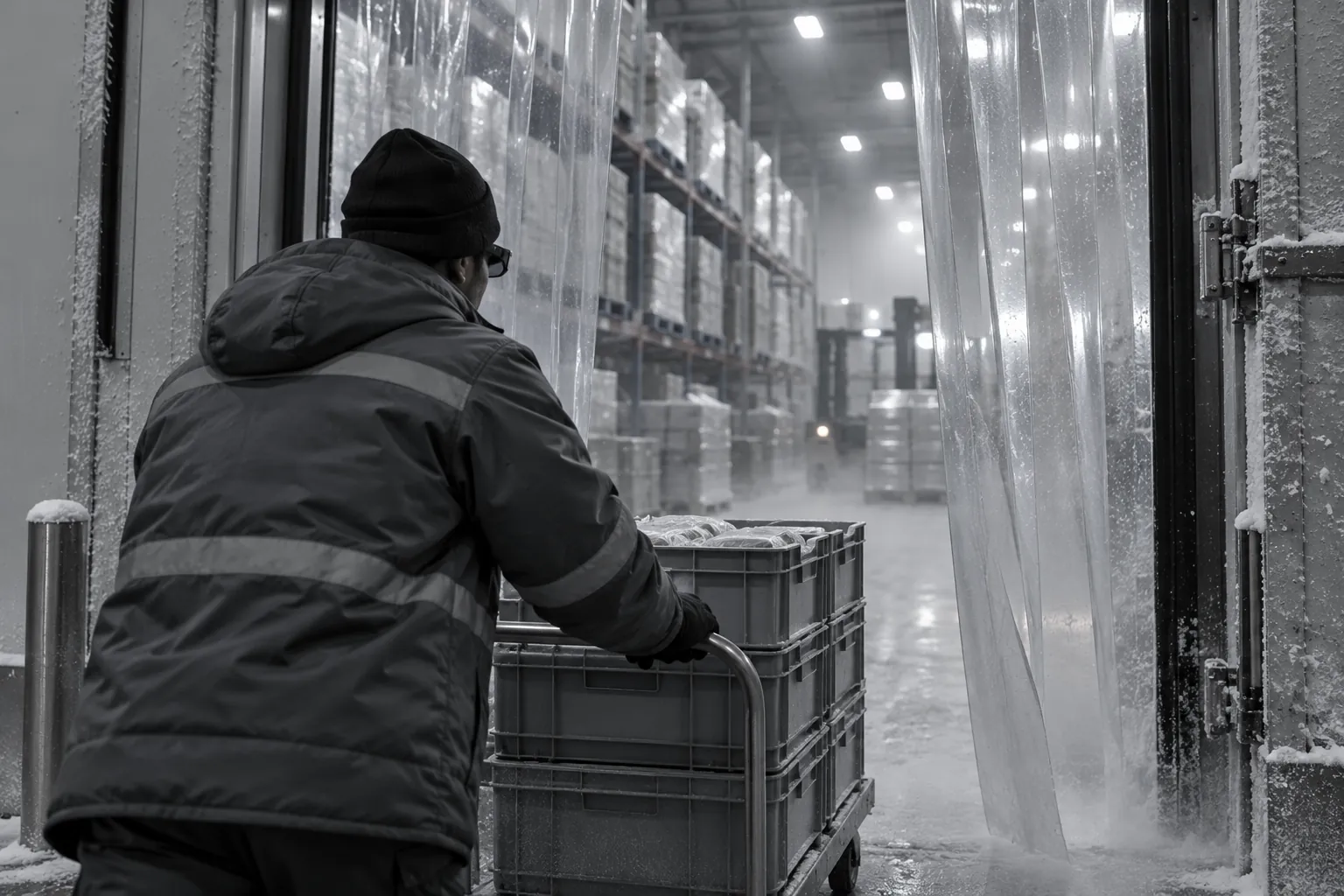
Food, pharmaceutical and grocery fulfilment often includes chilled and frozen areas. Cold reduces battery capacity, can fog lenses when moving between temperature zones, and affects how comfortable glasses are against the skin.
What to ask. - What is the device's operating temperature range? Does it cover your freezer? - How quickly does battery life fall in the cold? - Do lenses fog when moving from a freezer to an ambient dock, and are anti-fog treatments available? - Does the device work with the hats, hoods and face coverings worn in cold stores?
Workers moving repeatedly between zones put the most strain on devices. Test the actual route a picker walks.
Offline resilience
Large warehouses often have wireless dead spots, particularly between dense racking, in mezzanines and at the far ends of buildings.
What to ask. What happens if the connection drops mid-pick? Does the device hold the current task and any confirmations until it reconnects? Can it work through a batch of picks offline? These depend on the warehouse management system integration as well as the device, so ask both vendors.
Fleet management and shared use
Warehouse glasses are often shared across shifts.
- Remote management. Enrol, update, configure and wipe devices centrally. QWR's paper on kiosk mode, secure boot and remote MDM covers the mechanisms.
- Quick sign-in. Workers should be identified at the start of a shift without typing, for example by scanning a badge.
- Hygiene. Nose pads and frames that touch the face should be cleanable or replaceable.
- Loss and damage. Glasses are dropped, sat on and left in totes. Ask about durability and repair.
Camera use in shared spaces
Glasses with cameras, used all shift in a busy warehouse, capture colleagues as well as barcodes. If the camera is used only for scanning, confirm whether the device stores or transmits any images beyond the code itself. If it is used for anything else, such as remote assistance or exception photos, decide what is kept and who sees it. The same notice, purpose and retention questions apply as for any camera glasses on the shop floor.
Typical pattern: a warehouse pilot
Typical pattern. A fulfilment centre pilots glasses on one zone.
- It picks a zone that includes the hardest conditions: high racking, a dead spot and a chilled section.
- It tests three confirmation methods: camera scanning, voice check digits and a paired ring scanner.
- Pickers wear the glasses for full shifts for several weeks, and give structured feedback on comfort.
- The team compares accuracy and the number of interruptions to the pick rhythm across methods.
The pilot usually reveals that the confirmation method matters more than the guidance method, and that the hardest conditions in the zone decide the device choice.
Where to go next
For broader plant and warehouse hardware requirements, see the manufacturing industry page. To compare voice-first and display glasses, start with the Platform Finder.
FAQ
Frequently asked questions
What scanning capability do warehouse smart glasses need?+
Reliable reads of your actual labels at the distances and angles your racking creates, in your aisle lighting, with quick confirmation. Many operations pair glasses with a ring scanner instead of relying on the camera alone.
Is voice guidance enough, or does a display help?+
Voice handles location codes and quantities well. A display helps when pickers need to recognise items visually, follow a route or check a packing layout. Many operations need mostly voice with some visual support.
How long do warehouse smart glasses need to last?+
A full shift in your real use pattern, ideally without charging. Ask about swappable or clip-on batteries if not.
Do smart glasses work in cold stores?+
It depends on the device's operating temperature range, how cold affects its battery, and whether lenses fog when moving between zones. Test on the actual route a picker takes.
What happens in wireless dead spots?+
That depends on how the device and warehouse management system handle lost connections. Ask whether current tasks and confirmations are held until the device reconnects.
Request a Technical Briefing
Our team provides direct support for procurement officers, institutional buyers, and enterprise technology leads.